On This Page
Create a Security Key
This section describes how to create your security keys using the
Gateway Portal
.In the
Gateway Portal
, you can use the Dashboard or Key Management to create your
keys. These keys can be downloaded for you to securely store in your system.Gateway Portal Dashboard
Gateway Portal
DashboardWhen you log in to
the
, the dashboard appears. You
can use the Security Keys dashboard to: Gateway Portal
- View any keys that will expire soon.
- Go directly to the Key Management page by clickingView All Keys.
- Create a new key by clickingGenerate new key.
Figure:
Gateway Portal
Dashboard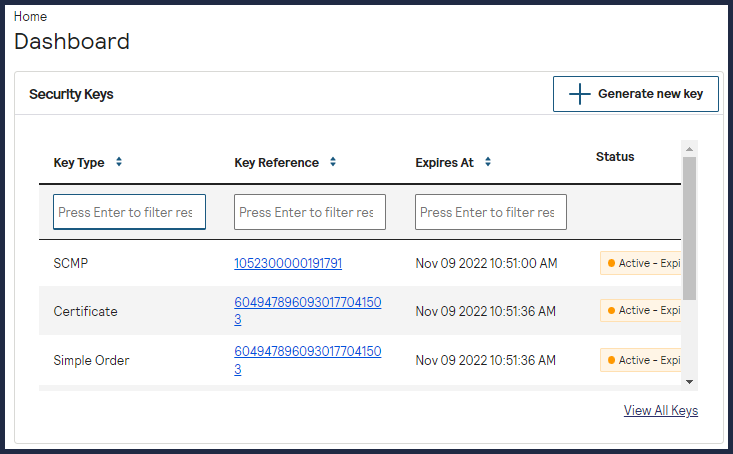
Key Management
When you log in to 
the
, navigate to
Gateway Portal
Payment Configuration > Key Management
to access the Key Management page. You can use the Key Management page to:
- Search for an existing key.
- Delete an existing key.
- Create a new key by clickingGenerate new key.
- View any keys that will expire soon.